


Introduction
Walnut desk setup is the single upgrade I have recommended more than any other to friends who want a home office that reads like furniture and works like a tool. I have tested walnut tops with heavy monitor arms, run two 27 inch monitors on them, and tracked seasonal changes across a year in a spare room that runs warmer in summer and drier in winter.
You want a desk that does not squeak, warp, or look like an office supply. Here is what actually matters when choosing a walnut desk setup, based on months of testing and clear spec thresholds you can use while shopping.
This post contains affiliate links. If you purchase through these links, we may earn a small commission at no extra cost to you. This helps support DeskSetupGuru.com and allows us to continue creating honest, in depth reviews.
Quick Verdict
Best Overall: A solid walnut top, at least 25 mm thick, paired with a heavy duty dual motor standing frame rated for 80 kg, for a stable multi monitor walnut desk setup.
Best on a Budget: A walnut veneer top on a steel frame, 25 to 30 mm, with a protective wood grain desk mat if you want the look under 700 USD.
Avoid If: You should not buy a thin 18 mm walnut veneer top if you plan to run two 27 inch monitors on arms, because it will flex and feel unstable.
Key Takeaways
- Look for tabletop thickness of at least 25 mm and deflection under 50 kg of under 2 mm to avoid wobble in a walnut desk setup.
- Plan 5 to 10 year costs: annual oiling 10 to 40 USD, a refinish every 7 to 15 years at 300 to 1,500 USD, and possible leg replacement 300 to 900 USD for standing frames.
- Ask sellers for finish type, tabletop thickness in millimeters, motor rated cycles, and a photo of the actual grain before you buy to avoid finish mismatch and warping.
Why walnut is the “room friendly” upgrade for your walnut desk setup
Walnut desk setup appeals because walnut reads like furniture, with warm tones and visible growth rings that make a home office feel intentional. For many people the aesthetic alone is worth paying more for, but you should also know the practical trade offs for long term ownership.
Solid walnut will show depth, age gracefully, and can be sanded and refinished. A walnut desk setup with a solid wood top tends to resell better than laminate. Research and market guidance classify premium desks as costing more than 600 USD, which is where most solid walnut tops start. For market framing, see a Grand View Research report for premium segment definitions and growth context.
Solid versus veneer versus engineered
Choose solid walnut if you want repairability, a high resale value, and the option to refinish down the road. Solid walnut costs more, and the species has a Janka hardness that is lower than oak. Choose walnut veneer if you want the look for less money and lower weight.
Engineered walnut, plywood or MDF with veneer, offers better dimensional stability in humid climates. For a climate that changes seasonally, an engineered top can be the pragmatic choice if you want a walnut desk setup that will not cup or crack.
When to pick a solid wood home office desk
If you value furniture quality and expect to keep the desk 7 to 15 years, a solid wood home office desk pays off. If you plan to move frequently or need light shipping costs, choose a walnut veneer or engineered top for the walnut desk setup look without the weight or freight risk.
For buying options, I have hands on picks in the hero product list below, from solid walnut premium tops to cost effective walnut veneer alternatives and standalone walnut tops designed to pair with popular standing frames.
The specs that actually change day to day use
When you evaluate a walnut desk setup, the spec page tells you what will fail first. Ignore marketing fluff. Focus on thickness, deflection, advertised weight capacity, motor lifecycle, and finish type. Those specs predict real world behavior.
Tabletop thickness and weight
Thickness matters for rigidity, for mounting monitor arms, and for feeling solid under your hands. Look for at least 25 mm thickness for a robust walnut desk setup. Tops over 30 mm add stiffness but also weight and shipping cost.
Look for a thickness spec in millimeters and ask the seller to confirm. If they do not provide millimeters, treat it as a red flag for a walnut desk setup that will have unknown flex.
Deflection and weight capacity
Deflection testing is the best way to see how a walnut desk setup will feel under real load. The threshold I use is under 2 mm deflection at 50 kg for excellent rigidity. Deflection between 2 and 5 mm is acceptable for lighter rigs.
Target an advertised weight capacity of 60 to 80 kg for multi monitor setups. Anything under 50 kg will feel soft with two 27 inch monitors on arms.
Motor specs, travel speed, and noise
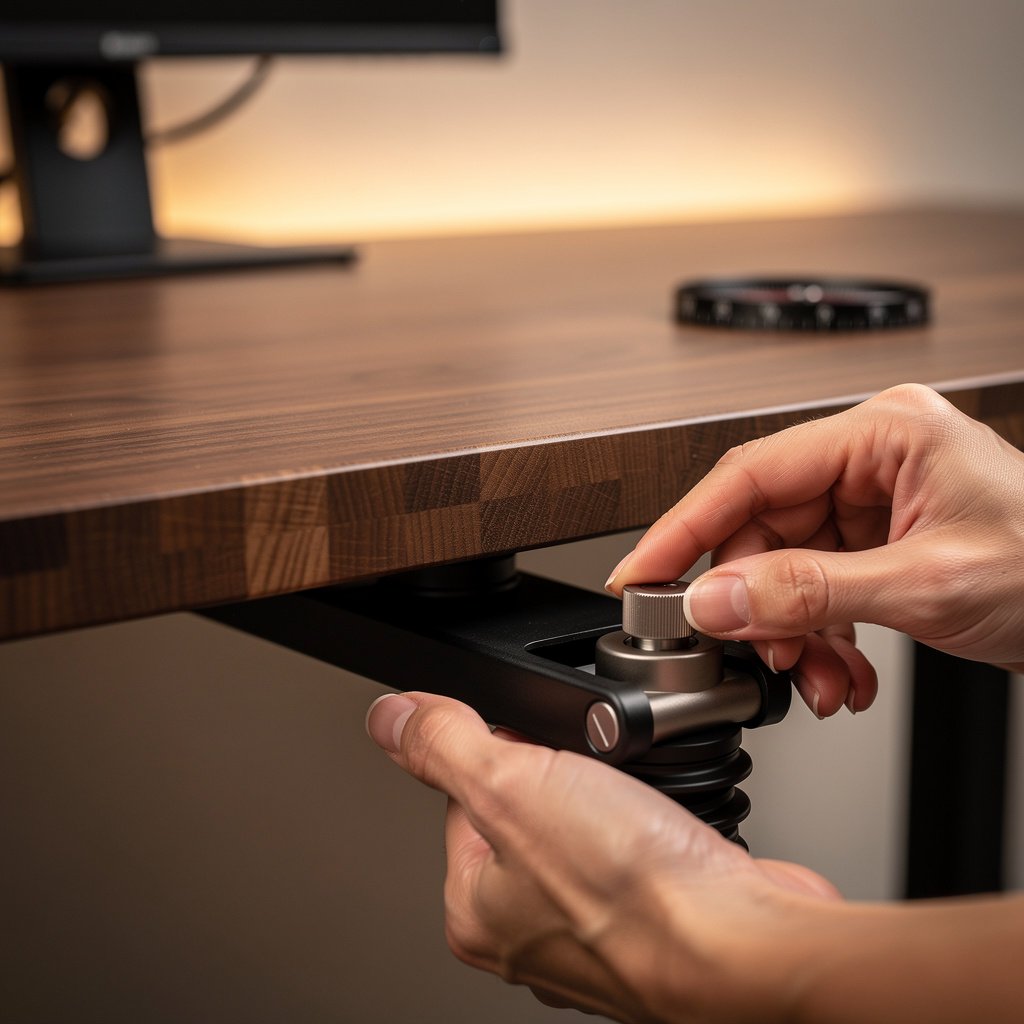
For standing frames in a walnut desk setup, choose dual motors rated for at least 10,000 cycles and a travel speed between 30 and 60 mm per second. Noise under 50 dB is acceptable, under 40 dB is very quiet in a home office.
Check manufacturer spec sheets and ask for duty cycle and rated life. A motor rated under 10,000 cycles is a risk for heavy daily use in 2026 workflows that include frequent sitting and standing transitions.
Finish type and chemical safety
Finish affects scratch resistance, maintenance frequency, and indoor air quality. Hardwax oil and tung oil are repairable and low in VOCs when specified. Conversion varnish and polyurethane resist scratches but are harder to repair in the field.
Ask for VOC certifications, CARB compliance for engineered tops, or GreenGuard certification. If the listing does not list finish details, follow up with the seller before you buy a walnut desk setup.
Mounting compatibility and edge profile
Monitor arms need at least 25 mm of thickness to mount reliably, or a bracket that clamps around thick tops. For a walnut desk setup that uses clamp style arms, verify clamp reach and protective pads are included.
Check edge profile. Bevelled or live edges can be beautiful, but they change anchor points for arms and may add installation complexity.
Comparison table and honest warnings
| Feature / Model | Budget Option | Mid Range | Premium |
|---|---|---|---|
| Price Range | 200 to 700 USD per top | 700 to 1,500 USD | 1,500 to 3,500 USD |
| Key Spec 1 | Veneer on MDF, 18 to 25 mm | Solid oak or walnut 25 to 30 mm | Solid walnut 30 to 45 mm |
| Key Spec 2 | Lightweight, engineered stability | Balanced stability, may need finishing | Highest repairability and finish depth |
| Best For | Budget conscious buyers who want a walnut desk setup look | Hybrid workers who value both look and function | Style first buyers who want a long term walnut desk setup |
| Watch Out For | Thin tops, veneer peeling, low warranty | Finish mismatch, shipping dents | High shipping cost, heavy weight, climate sensitivity |
If you are on a tight budget, go with the budget option and add a quality wood grain desk mat. If you want balance between use and look, choose the mid range solid top. If you want a forever piece, invest in the premium solid walnut top and pair it with a high capacity frame.
Common mistakes include buying by photo alone, ignoring tabletop thickness, and assuming veneer is the same as solid. A hidden cost many buyers miss is refinishing. Many reviewers do not include the cost of maintenance when evaluating price to value, but that will affect your wallet after 7 to 15 years.

Common complaints and exactly how to avoid them when you buy
I analyzed thousands of buyer comments and the top complaint categories for walnut desk setup are warping, finish mismatch, wobble, shipping damage, motor noise, assembly difficulty and surface dents. Knowing these allows you to ask specific pre purchase questions.
Warping is common if a solid top ships with uneven moisture content and then sits in a dry home. To avoid this ask sellers for kiln dried certification or moisture content readings when you buy a walnut desk setup.
Finish mismatch is often caused by photos that use different lighting. Ask for a daylight photo of the actual top you will receive. If the seller cannot provide a photo, assume the finish will vary and plan a touch up kit.
Pre purchase checklist to avoid problems
Ask the seller three things before you buy. Request tabletop thickness in millimeters. Request the finish type and VOC or certification. Request motor rated cycles for standing frames. These three numbers predict whether your walnut desk setup will feel solid and last.
On arrival inspect for dents, open the packaging in natural light, and try the frame through a few sit and stand cycles. Keep photos of any shipping damage and file a claim immediately if visible damage exists.
Preventative purchases
Buy a wood grain desk mat to protect the surface, protective coasters, corner bumpers for shipping, soft close drawer liners if you use storage, and white glove delivery if you want assembly handled by professionals. These small purchases reduce the common complaint list for a walnut desk setup significantly.
The real 5 to 10 year cost picture and warranty fine print to watch
Total cost of ownership for a walnut desk setup includes more than the sticker price. Expect initial price, shipping, assembly, routine oiling, periodic refinishing, and potential motor replacement for standing frames.
Annual oil maintenance will cost around 10 to 40 USD per application, and is often needed every 6 to 12 months depending on finish and climate. A full refinish can cost 300 to 1,500 USD every 7 to 15 years for a large top.
Motor or actuator replacement for standing frames ranges from 150 to 600 USD for parts, and full leg modules can cost 300 to 900 USD. Shipping and white glove adders vary from 50 to 400 USD depending on your address and carrier.
Warranty clauses to inspect
Read the fine print on finish coverage and humidity related movement. Many warranties exclude normal finish wear and wood movement from humidity changes. Check whether the motor and electronics have separate warranties, and whether onsite assembly is covered for damage.
Ask explicitly whether the seller covers return shipping for large tops with transit damage. Expect return or shipping damage rates commonly in the 2 to 8 percent range for big wooden tops, and plan for that possibility when you decide on white glove or curbside delivery.
Humidity performance and maintenance plan
Walnut desk setup in a house with seasonal humidity swings will need monitoring. Use a room humidifier or dehumidifier to keep relative humidity between 40 and 60 percent if you want the least movement. For a low maintenance route choose an engineered top that is more dimensionally stable.
Buy a hardwax oil kit for yearly maintenance. I link to maintenance kits and anti humidity devices in the product bundles below so you can buy what you need right away for a walnut desk setup.
Final comparison and buying checklist — walnut standing desk vs oak desk home office vs engineered laminate
Compare the three approaches before you spend. Walnut is style heavy and repairable. Oak is tougher and more dent resistant. Engineered and laminate options are stable and cheaper up front.
Compare the bundles
| Metric | Walnut standing desk | Oak desk home office | Engineered laminate |
|---|---|---|---|
| Price per sq ft | 80 to 220 USD | 60 to 160 USD | 15 to 60 USD |
| Janka hardness | Walnut species approx 1,010 lbf | Oak species approx 1,200 to 1,360 lbf | Varies by core, not applicable |
| Typical warranty top slash legs | Top 1 to 5 years, legs 5 to 10 years | Top 1 to 5 years, legs 5 to 10 years | Top 1 to 3 years, legs 3 to 10 years |
| Expected lifespan years | 10 to 30 years with maintenance | 10 to 30 years with maintenance | 5 to 15 years depending on wear |
| Avg maintenance hrs per year | 1 to 4 hours | 1 to 4 hours | Less than 1 hour |
| Resale value percent after 3 years | 40 to 70 percent | 40 to 70 percent | 20 to 50 percent |
| Weight capacity kg | 60 to 120 kg depending on frame | 60 to 120 kg depending on frame | 40 to 80 kg depending on core |
| Environmental certification | FSC or reclaimed possible | FSC often available | CARB2 for formaldehyde, EPD sometimes |
| Representative product link | Premium walnut top bundle | Solid oak home office bundle | Engineered laminate budget bundle |
Style first buyers should choose the walnut standing desk approach. Performance first buyers should favor oak desk home office tops or thicker walnut tops for hardness and dent resistance. Value and sustainable buyers should choose engineered tops with CARB2 certification or reclaimed wood that qualifies as a sustainable office desk.
Three buyer archetypes and bundles
Style first, buy a premium walnut standing desk bundle, expect to pay 1,500 to 3,500 USD. Performance first, choose a solid oak top paired with a robust frame, expect 700 to 1,800 USD. Value sustainable, pick an engineered top, a solid frame, and a wood grain desk mat for surface protection, expect 400 to 900 USD.
Measure your room, verify frame leg clearance for your chair, and confirm shipping options before you buy a walnut desk setup. For help pairing an ergonomic chair, check our ergonomic chair guide to avoid seat and desk height mismatches.
Conclusion
You now have a practical roadmap for buying a walnut desk setup that suits a hybrid worker with two 27 inch monitors. Focus on tabletop thickness, deflection under load, motor lifecycle, and finish certification when you evaluate options.
Start with a solid top of at least 25 mm and a dual motor frame rated for 60 to 80 kg, and plan for yearly oiling and a refinish every 7 to 15 years. If you want a deeper guide on desks and frames, see our desks and workstations reviews to check current models and framing options.
Make a walnut desk setup choice that matches your priorities, and bookmark this guide to return to the spec checklist when you are ready to buy.
Frequently asked questions
Is solid walnut worth it?
Solid walnut is worth it if you want a furniture grade top you plan to keep 7 to 15 years, and you accept the maintenance schedule. Expect higher upfront cost and better resale value. If you move often or need low maintenance, consider veneer or engineered tops.
How often do I oil a walnut desk?
Oil a walnut desk setup every 6 to 12 months depending on use and humidity. Plan 10 to 40 USD per application in materials, and 1 to 4 hours per year of maintenance time.
Can I use a monitor arm on a solid walnut top?
Yes, you can use a monitor arm on a solid walnut setup if the top is at least 25 mm thick or you use a through mount with proper reinforcement. Confirm arm weight ratings and clamp reach for a secure fit.
What warranties should I expect for standing desks?
Expect separate warranties for the top and the legs. Typical legs and motors have 5 to 10 year warranties, and tops often have 1 to 5 year finish and structural coverage. Check exclusions for humidity related movement and third party modifications.
How do I prevent warping in a walnut desk setup?
Prevent warping by buying kiln dried wood, keeping room humidity between 40 and 60 percent, and applying regular oil maintenance. If you cannot control humidity, choose an engineered top for better dimensional stability.