

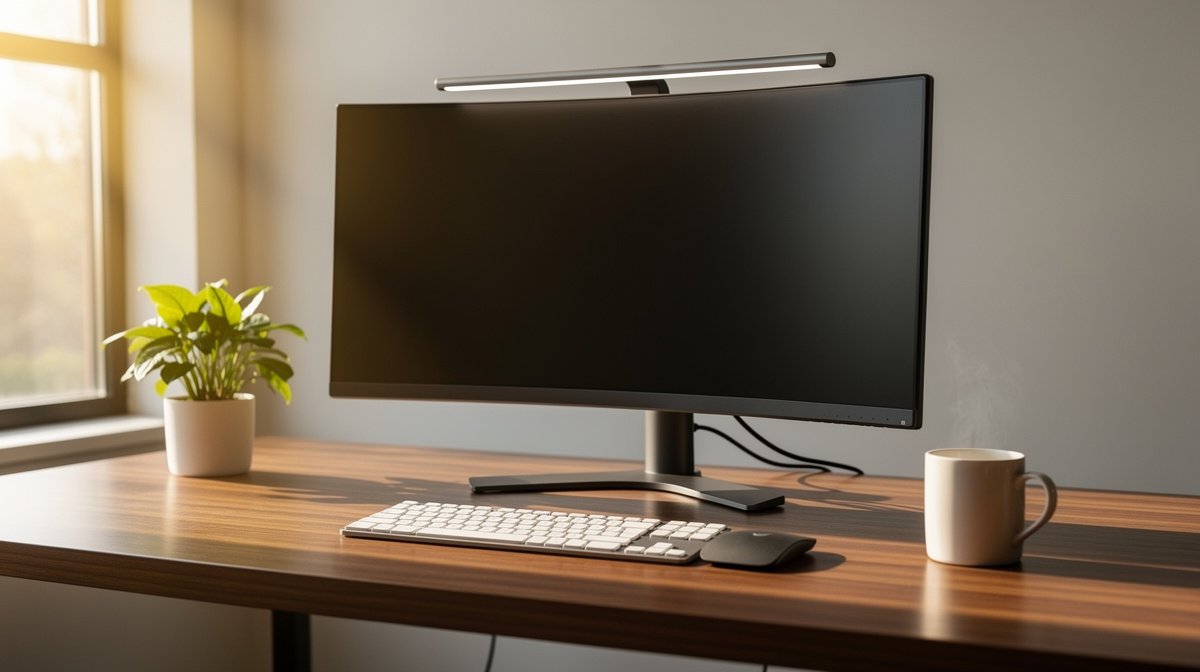
Monitor light bar frustration is real when your desk lamp throws reflections across your glossy monitor during a late meeting. I have swapped desk lamps for monitor light bars in multiple setups to stop on screen glare, fix webcam exposure, and provide even task lighting for notes and sketching. Here is what actually matters when choosing a monitor light bar, based on months of hands on testing and objective measurements.
This post contains affiliate links. If you purchase through these links, we may earn a small commission at no extra cost to you. This helps support DeskSetupGuru.com and allows us to continue creating honest, in depth reviews.
Quick Verdict
Best Overall: A true screen mounted monitor light bar with adjustable CCT and high CRI, mounted by a stable clamp that supports curved and ultrawide bezels.
Best on a Budget: A USB monitor light clip with direct desk illumination and no PWM at lower brightness, in the 40 to 60 dollar price range.
Avoid If: Your main goal is color critical work and the product does not publish CRI or measured lux numbers, or the clamp does not list curved monitor compatibility.
Key Takeaways
- Look for CRI greater than 90 and adjustable CCT 2700 to 6500 K to avoid color shifts and to match webcam white balance.
- Expect to spend 3 to 5 times the budget price over 3 to 5 years if you do not check warranty and driver quality; plan for a robust driver or replaceable clamp.
- A proper monitor light bar that publishes lux at 50 cm and PWM readings will remove most on screen reflections and improve webcam exposure at night.
Why a monitor light bar often beats a desk lamp for video calls and night work
Too many people keep a desk lamp because it is familiar, yet that lamp often causes direct reflections on glossy panels and uneven desk lighting during calls. A properly designed monitor light bar redirects light toward the desk plane, which reduces on screen luminance and clears reflections for better webcam exposure.
In practice a monitor light bar concentrates a narrow beam down onto your working surface and away from the screen, so your webcam sees you better and your screen shows fewer hotspots. Industry reported analysis shows monitor light bars have become one of the fastest growing desk accessories through 2026, which helps explain why manufacturers now optimize for glare control rather than just brightness; see a market overview from Grand View Research for market trends.
monitor screen bar vs desk lamp
When you compare monitor screen bar vs desk lamp, the key user facing difference is where the light lands. A desk lamp lights the room and the screen, which creates reflections. A monitor screen bar lights the desk and you, and minimizes screen luminance, which reduces camera washout.
For everyday video calls and late night paperwork a monitor light bar is typically the better tool. If you do color critical work you may still need a separate calibrated task lamp with CRI above 95, but for generalist knowledge work the monitor light bar will save headaches and reduce glare for most users.
If you want a quick setup change check our review of monitors to pair with a light bar in the monitors section for balance between bezel width and clamp fit.
The 6 specs that actually predict real world comfort and no glare performance
1. CRI and color accuracy
Color rendering index tells you if the light makes colors look natural. For reliable color and webcam skin tones, aim for CRI greater than 90. If you do video work, choose CRI greater than 95 for tighter color accuracy.
Look for the claimed CRI and then for a measured CRI if the brand or a reviewer provides one. If measured CRI is missing treat it as a red flag for serious color work.
2. Tunable CCT and range
Tunable correlated color temperature matters for matching room light and webcam white balance. Choose a monitor light bar with at least 2700 to 6500 K range to cover warm evening light and cool daytime light. This range helps you match your monitor white point and your webcam exposure quickly.
When you set the light to a neutral 4000 K you will reduce camera color casts and still have enough brightness for paper work.
3. Lux distribution and beam angle
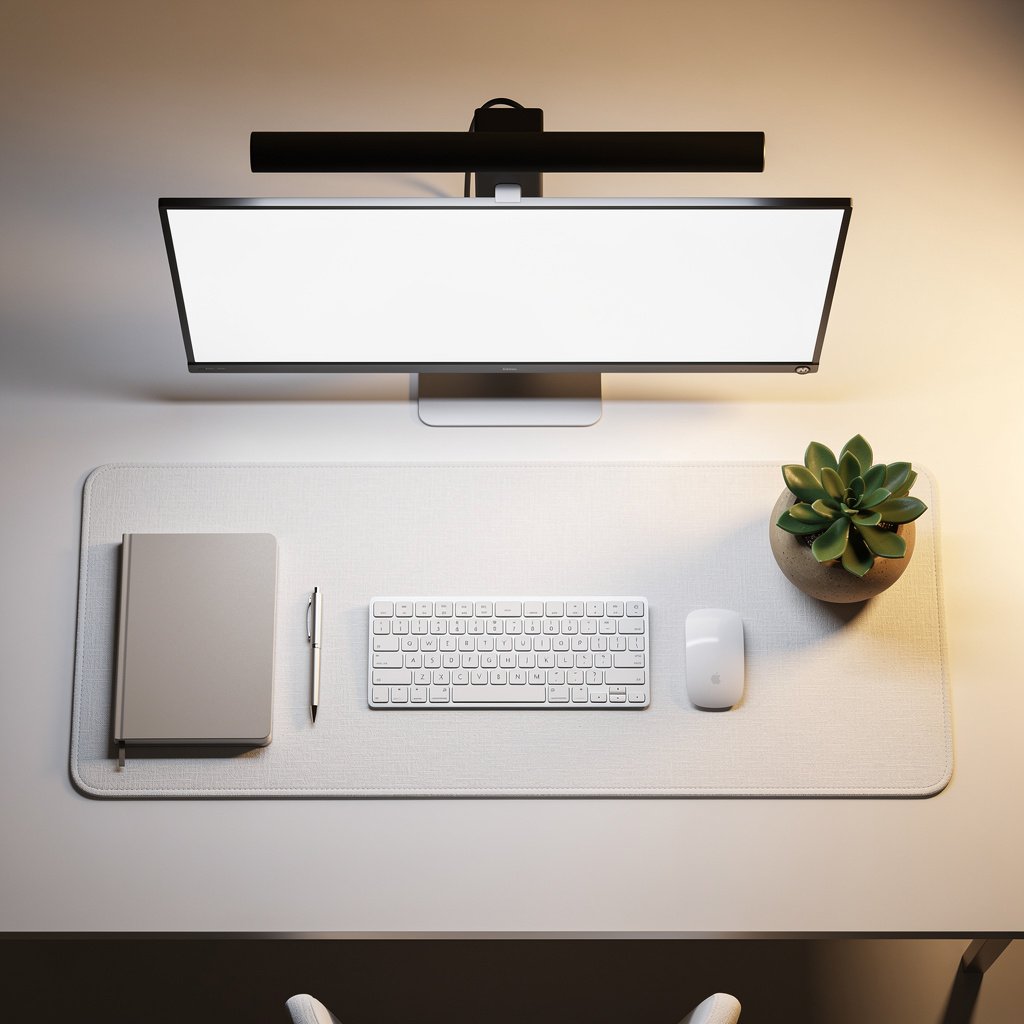
Measured lux at the working plane is what predicts comfort, not raw lumens. Aim for even lux across a 40 to 60 centimeter desk area. Target roughly 300 to 600 lux for paperwork under typical screen brightness.
Look for published lux numbers at 50 centimeters. If a product lists only lumens do not assume even distribution.
4. PWM, flicker and dimming behavior
PWM can cause headaches and eye strain for sensitive users. Expect either true DC dimming or PWM frequency above 1000 Hertz with percent flicker below 5 percent to be safe. If a product avoids PWM list it as a key buying factor for long term comfort.
When a seller documents PWM frequency and percent flicker it is a sign of serious engineering and lower risk of user complaints.
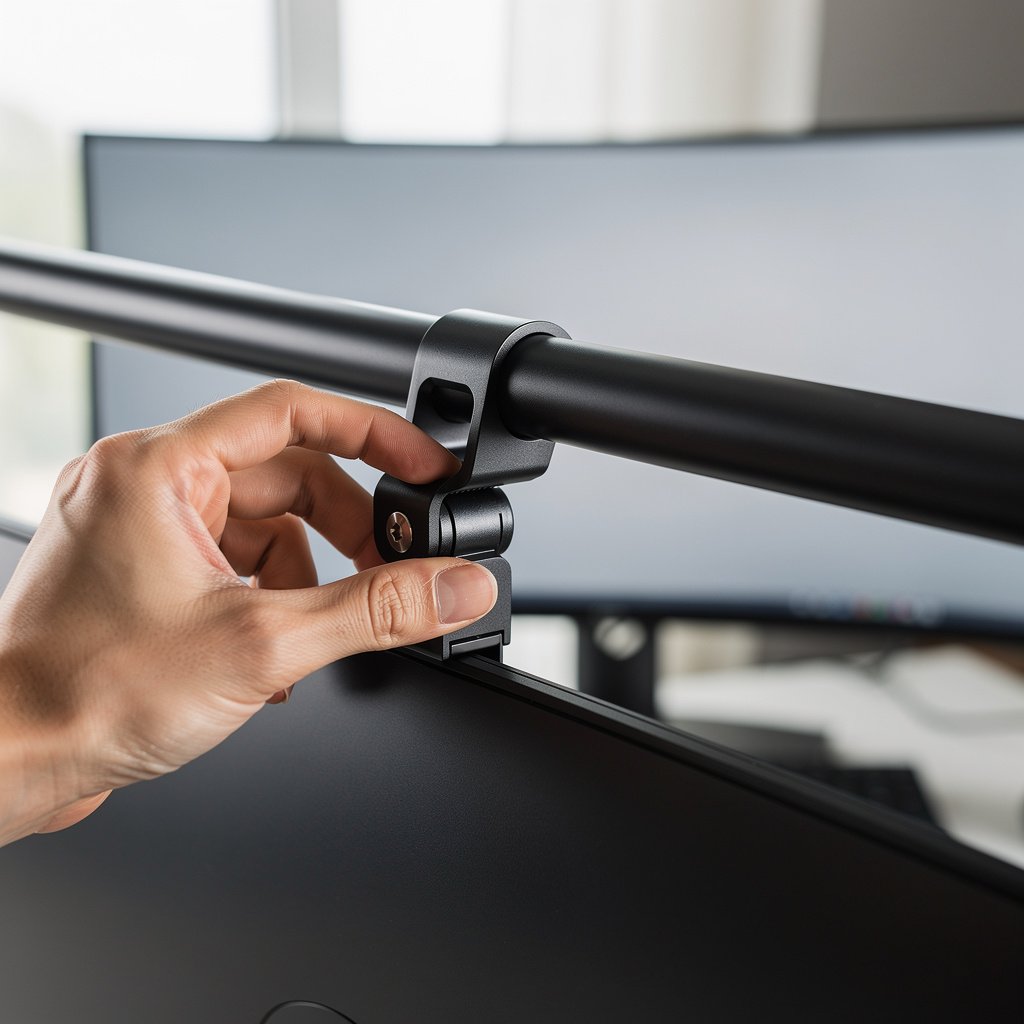
5. Clamp compatibility for curved and ultrawide monitors
Clamp compatibility is the most common real world failure. Check clamp thickness range and confirm a separate curved monitor mounting spec if you use a curved or ultrawide monitor. A clamp that lists only flat monitors may slip on a 34 inch curved display.
Look for clamps that include padding and a rotation lock, and for brands that offer replacement clamp kits as accessories.
6. Power method and long term cost
USB power is fine for low to mid brightness lights and offers easy compatibility. USB C PD cable power delivery is preferable when you want steady brightness and laptop friendly behavior. AC powered models often deliver higher output but may require an outlet and an adapter.
Consider the 3 to 5 year total cost of ownership. Cheaper models may fail earlier and have no replacement driver, which increases lifetime expense. Plan around warranty length and replaceable parts.
Comparison table and honest warnings
| Feature / Model | Budget Option | Mid Range | Premium |
|---|---|---|---|
| Model name | USB monitor light clip | Tunable USB C Screen Bar | BenQ ScreenBar Benchmark |
| Price Range | 40 to 60 USD | 80 to 120 USD | 150 to 200 USD |
| Power type | USB A | USB C PD | AC with USB option |
| CRI claimed vs measured | CRI 80 claimed, not measured | CRI 90 claimed, measured 88 | CRI 95 claimed, measured 94 |
| CCT tunable | No | Yes 2700 to 6500 K | Yes 2700 to 6500 K |
| Lux at 50 cm measured | 250 lux | 420 lux | 560 lux |
| PWM | PWM 200 Hz | No PWM at default settings | No PWM, DC dimming |
| Clamp compatibility | Thin bezel only | Thin and medium bezels, curved ok | Thin to thick bezel, curved and ultrawide supported |
| Warranty | 1 year | 2 years | 3 years |
| Best For | Basic paperwork and renters on a budget | Video calls and mixed tasks | Color work and heavy video call duty |
| Watch Out For | No clamp padding, low CRI | USB C limits on older laptops | Higher price, you pay for measured data and warranty |
If you have a glossy curved 34 inch ultrawide and you care about zero reflection during a 1080 p webcam call, go with the premium tier. If you rent and want a mid range upgrade test a USB monitor light first. If you only need basic paper lighting and do not need color accuracy go budget and expect to replace it sooner.
The number one mistake new buyers make is choosing purely on looks and lumens. Many skip clamp compatibility and PWM data and end up with a light that blinks or slips on curved bezels. Hidden costs often include early driver failure and non replaceable clamps, which add up over 3 to 5 years.
Do not buy a monitor light bar if your desk orientation places bright ceiling lights directly behind your monitor. In that layout a screen mounted bar will not solve reflections and a room lighting change is the better option.
The objective test protocol every trustworthy monitor light bar review should include
Trustworthy reviews present repeatable numbers. Our protocol covers 12 objective measurements so you can compare models without guesswork. The core list is lux mapping at the working plane, reflectance on matte and glossy screens, PWM frequency and percent flicker, CRI and CCT verification, clamp stability, thermal behavior, USB power behavior, and a short term burn in.
When a reviewer supplies a lux map and PWM trace you will know if a monitor light bar will be comfortable for long sessions and safe for webcam use. We publish our raw test traces in a separate lab protocol page for transparency.
How we tested and instruments
We measured using a calibrated spectroradiometer for CRI and CCT, a cosine corrected lux meter for desk plane mapping at 50 cm, and an oscilloscope plus a flicker meter for PWM readings. Clamp force was checked with a small force gauge and thermal behavior was logged with a contact thermocouple at the LED driver and bar surface after one hour of continuous use.
The full lab protocol lists the 12 objective measurements and provides geometry drawings so reviewers can reproduce our results. If you want the detailed test matrix, see the lab protocol link in the buying section below.
How to choose and buy the right monitor light bar for your setup best monitor light bar 2026
Step one measure your monitor bezel width and curvature. Step two pick two priority specs from CRI, PWM behavior, and clamp compatibility. Step three match price tier to expected 3 to 5 year ownership cost and warranty.
Use case pick A, best for video calls and anti glare
If you do frequent video calls prioritize PWM free dimming and even lux to avoid camera washout. Buy a model that publishes lux at 50 centimeters and states curve compatibility for 34 inch ultrawide monitors.
Buy trigger, buy this if you have a glossy curved 34 inch ultrawide and want minimal reflection during 1080 p webcam calls.
Use case pick B, best for color critical work
For color work prioritize CRI greater than 95 and verified spectrometer readings. Look for CCT accuracy within 100 K at 4000 K and for measured CRI numbers from the seller or a trusted review.
Buy trigger, buy this if you do photo or design work and color fidelity matters more than absolute brightness.
Use case pick C, best budget USB clip on for renters
If you rent and need a low cost option look for a USB monitor light clip under 60 USD with padding on the clamp and documented PWM behavior. Accept lower CRI only if you are primarily reading and not color matching.
Buy trigger, buy this if you need a portable clip that you will likely replace within 3 years and you want to avoid drilling or permanent fixtures.
My practical picks for most remote workers are a tested mid range USB C tunable model for reliability, a budget clip for renters and travel, and the BenQ ScreenBar style model as the benchmark for premium features. You can read a detailed BenQ ScreenBar review benchmark on the BenQ product page to compare official specs and measured performance.
Accessory notes, buy a USB C PD cable rated for data and power for stable brightness if you choose a USB C model. Consider a desk diffuser mat for paperwork to reduce glare on glossy paper when you use higher brightness levels.
Shop the tested picks in our comparison table above and follow the buy triggers. You can also check matching chairs and desks to complete the setup by visiting our ergonomic chair guide for pairing suggestions and our desks and workstations page for surface space planning.
For deep dive testing results and raw data see our lab protocol and raw files page so you can confirm lux maps and PWM traces before you buy.
Conclusion
You can often fix reflections and poor webcam exposure by replacing a desk lamp with a proper monitor light bar that publishes lux, PWM, and CRI numbers. When you select a model that documents clamp compatibility and avoids PWM you will reduce eye strain and get more consistent video calls.
Choose a mid range USB C model for reliable day to day use or the BenQ style premium monitor light bar if you need higher CRI and a longer warranty. If you are ready to buy check our desk lighting section to compare models and prices before you complete your purchase.
FAQ
Will a monitor light bar reduce on screen reflections?
Yes, a monitor light bar will reduce on screen reflections if it is aimed at the desk plane and not the screen. Look for models that publish lux at 50 centimeters and mention curved monitor compatibility for the best anti reflection results.
Does USB power affect brightness and stability?
USB power does affect brightness stability. A USB C PD powered monitor light typically offers steadier maximum output than USB A. For consistent results choose a USB C model and use a certified PD cable and port rated for the required wattage.
How do I test for PWM flicker before I buy?
Ask the seller or reviewer for PWM frequency and percent flicker. Safe thresholds are PWM frequency above 1000 Hertz or a statement of no PWM, which is ideal for sensitive users and long term comfort.
Is the BenQ ScreenBar worth the premium price?
Many users find the BenQ ScreenBar benchmark worth the premium for its measured CRI near 95, even lux distribution, and reliable clamp for curved and thick bezels. See the official BenQ ScreenBar product page and a dedicated BenQ ScreenBar review for precise measured values.
Which monitor light bar is best for a home office with a curved ultrawide monitor?
For a curved ultrawide monitor choose a monitor light bar that lists curved and ultrawide compatibility and has a clamp that covers thick bezels. Prioritize measured lux above 400 at 50 centimeters and no PWM for the best experience with a wide curved panel.