


Ergonomic chair for back pain is the number one search phrase I type when my lower back tightens after a long afternoon of focused work. You are not alone if your current chair leaves you with recurring lower back pain and uncertainty about which numbers on a spec sheet actually matter. Here is what actually matters when choosing an ergonomic chair for back pain, based on months of testing, spec hunting, and reading standards and product pages.
I have tested chairs across budgets in 2026 and helped friends replace chairs that made pain worse. This guide gives you the numeric thresholds to watch, the real failure modes to expect, and the short list of chairs I would buy for different bodies and conditions.
This post contains affiliate links. If you purchase through these links, we may earn a small commission at no extra cost to you. This helps support DeskSetupGuru.com and allows us to continue creating honest, in depth reviews.
Quick Verdict
Best Overall: A highly adjustable mesh or mixed material chair with 10 to 20 cm lumbar height travel and seat depth that reaches 40 to 46 cm for taller users.
Best on a Budget: Pick a mesh ergonomic chair with published lumbar travel of at least 10 cm, seat depth at least 38 cm, and replaceable parts in the $150 to $300 range.
Avoid If: Avoid chairs that do not publish lumbar height travel or seat depth, and avoid models with single piece mesh backs that list no tensile or durability data.
Key Takeaways
- Look for lumbar vertical travel of 10 to 20 cm, seat depth 38 to 46 cm, and foam density at least 40 kg per cubic meter for long term support.
- Expect a 3 to 7 year realistic lifespan for mid range chairs and 10 to 12 years from premium contract chairs, factor repair parts into total cost.
- Test at home for 7 days using a trial checklist that measures lumbar height fit, seat depth comfort, recline tension under your weight, and sciatica symptom changes.
What actually reduces lower back pain and the specs that matter for an ergonomic chair for back pain
Before you buy anything, understand that preventable lower back pain from sitting comes from a mismatch of three things, your pelvic orientation, lumbar height, and seat depth. Fixing those three gives you the largest chance of reduced pain over weeks of use.
Key technical specs map directly onto those three variables. Lumbar vertical travel aligns the support with your lumbar curve. Seat depth controls thigh support and pelvic angle. Recline and tension change spinal load while you shift posture. These are measurable, not marketing claims.
Manufacturers of premium chairs typically publish lumbar vertical adjustability in the 10 to 20 cm range, which is the band you want to see on a spec sheet [Herman Miller spec page].
Industry guidance from occupational authorities stresses adjustable seating matched to the user rather than a single model recommendation. See the HSE Display Screen Equipment guidance for how adjustability reduces musculoskeletal loading during seated work [HSE 2024].
Why lumbar vertical travel matters
Lumbar vertical travel is how far the lumbar support moves up and down behind your back. It matters because a lumbar pad that is too low or too high will press on the wrong vertebrae and create new pain points.
Look for chairs that list at least 10 to 15 cm of lumbar vertical travel. Chairs under about 8 cm commonly fail to fit tall and short users in the same chair [Herman Miller spec page].
Best office chair for lower back pain, quick note
If you need the best office chair for lower back pain then prioritize lumbar travel and independent lumbar firmness or pneumatic lumbar adjustment. That combination gives you the best chance to dial in your lordosis position. Consider combining this with a adjustable lumbar firmness option for even better fit.
For evidence that adjustable lumbar reduces discomfort see the ergonomics literature and the Vergara and Page study that links targeted lumbar support to lower subjective discomfort in seated tasks [Vergara & Page 2002].
What to look for, a practical buyer’s guide
Lumbar height, vertical travel and anterior protrusion
Lumbar vertical travel, the numeric up and down movement, should be 10 to 20 cm to fit most adults. Anterior protrusion, the forward depth of the lumbar support, should be adjustable by roughly 10 to 30 mm to match shallow to deep lumbar curves.
Look for explicit specs on lumbar vertical travel and protrusion on the product page. If the brand does not publish these numbers, ask support or consider a different model.
Seat depth and how it maps to your height
Seat depth affects thigh support and pelvic tilt. Standard seat depths fall between 38 and 46 cm. If you are taller than 183 cm, aim for seat depth of at least 40 cm. If you are shorter than 163 cm, look for seat depth under 38 cm.
On product pages, buy a chair that lists seat depth in centimeters or shows a depth range. If you cannot find that number, the chair may not fit your body and is riskier for lower back pain relief [HSE 2024].
Seat tilt, forward tilt for sciatica and neutral pelvic tilt
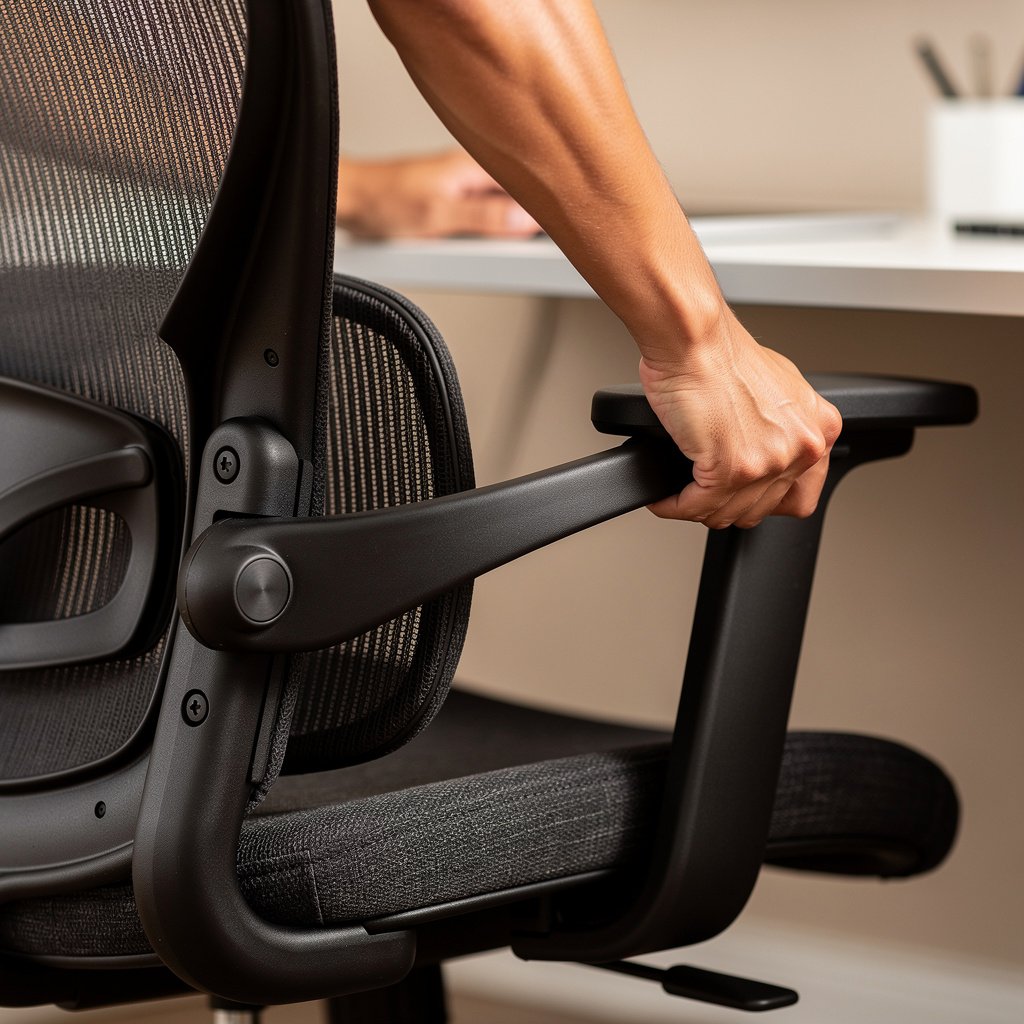
Forward tilt capability in the 0 to 8 degree range can help users with posterior pelvic tilt and sciatica by opening the hip angle. Not every chair has forward tilt capability as a feature, so check the recline and seat tilt spec carefully.
If you have sciatica consider a chair that lists seat tilt degrees or explicitly mentions forward tilt. That feature combined with a firmer seat edge often improves nerve related symptoms during long sitting sessions [HSE 2024].
Recline range and tension control
Backrest recline reduces static spinal loading. A useful recline range is roughly 90 to 135 degrees with adjustable tension so the chair matches your weight when leaning back. If the manufacturer lists recline range and tension settings, you will have a better chance of consistent comfort over long hours.
On ticketed product pages, confirm the recline range and whether the tilt tension is adjustable independently from the back lock. That combination matters for a chair to be a good long term investment.
Foam density or mesh tensile properties
Seat foam density predicts how quickly a cushion will compress. Premium seat foams are usually 40 to 50 kg per cubic meter or more. Lower densities under 30 kg per cubic meter often show sag within 12 to 18 months. Consider improving your chair cushion with a replacement that matches high seat foam density specifications for longer durability.
If the chair has a mesh back, check for tensile strength or vendor statements about sag resistance. Mesh creep is a common complaint on cheaper models and it is often excluded as normal wear in warranty language [Vendor warranty pages].
Weight capacity and heavy user concerns
If you weigh over 100 kg, pick chairs rated for higher weight and with reinforced tilt mechanisms. Manufacturers list weight capacity on spec pages and premium chairs often offer heavy user variants with stronger gas lifts and wider seats.
For heavy users, a chair rated for your weight plus 20 percent is a safer buy. Also choose one with replaceable parts to extend life and lower total cost over 3 to 7 years. You can extend chair life with quality replacement parts such as a gas lift cylinder if needed.
When you are comparing models, remember to check the vendor warranty and what it excludes. I cover warranty traps in the next section so you do not get surprised after a year of use.
Comparison table and honest warnings for ergonomic chair for back pain
| Feature / Model | Budget Option | Mid Range | Premium |
|---|---|---|---|
| Representative model | Top selling mesh chair from major marketplace | Autonomous ErgoChair or similar | Herman Miller Aeron Large |
| Price range | $150 to $300 | $300 to $700 | $900 to $1700 |
| Lumbar vertical travel | Often not published or under 8 cm | Typically 10 to 15 cm published | 10 to 20 cm, documented in spec sheets |
| Seat depth | 38 to 42 cm typical | 38 to 44 cm with adjust options | 41 to 46 cm on large size variants |
| Seat foam density or mesh | Low density foam or basic mesh | High resilience foam, around 35 to 45 kg per cubic meter | High resilience foam 40 to 50 kg per cubic meter or premium suspension mesh |
| Recline and forward tilt | Limited recline, often no forward tilt | Recline to about 120 degrees, some forward tilt options | Recline to 135 degrees with adjustable tension and optional forward tilt |
| Warranty and expected life | 1 to 3 year warranty, life 2 to 4 years | 3 to 7 year realistic life, 3 to 5 year warranty common | 10 to 12 year warranty, expected life 10 to 12 years |
| Best for | Budget desktop workers and short term use | Dedicated home office users seeking adjustability | Full time workers, tall and heavy users, durable value over time |
| Watch out for | Mesh sag and gas lift failures | Partial lumbar travel claims and thin foam | High up front cost, long RMA times for parts |
If you need a simple rule, go with the budget tier if you sit less than 4 hours per day and can tolerate replacing a chair in 3 to 4 years. Go mid range if you sit 6 to 8 hours per day and want a balance of adjustability and price. Go premium if you sit more than 8 hours per day, or if you are tall or heavy and need documented lumbar travel and a long warranty.
The honest warnings section below lists the problems that cause most returns and the things I wish I had known before buying my first office chair in 2026.
Pitfalls and honest warnings
The number one mistake first time buyers make is buying based on pictures and marketing words rather than numeric specs. If a listing does not state lumbar vertical travel in centimeters and seat depth in centimeters then you are guessing about fit, and that guess often leads to returns.
A hidden cost many buyers ignore is parts replacement and repairs. A gas lift cylinder or a set of casters can cost $25 to $80 each. Mesh creep and foam compression are often excluded as normal wear in warranties, so the nominal warranty can be less useful if you need mesh replacement [Herman Miller warranty].
When it is better not to buy. If you expect a chair to cure chronic back pain without a movement program or clinician guidance, do not expect miracles. Chairs help by reducing harmful sitting postures, but they are not a substitute for stretching, walking breaks, or physiotherapy when needed [Vergara & Page 2002].
Conclusion and next steps
You will get the most measurable relief from an ergonomic chair for back pain if you match lumbar vertical travel, seat depth, and seat tilt to your body and symptoms. Testing these numbers at home matters more than color or fabric choice.
If you are ready, pick the chair tier that matches your hours and body. For more on pairing seating with a standing desk and monitor setup check our Desks and Workstations page. For help choosing a monitor and stand to keep your head posture neutral see our Monitors guide. To tune peripherals that reduce reach strain, read our Keyboards and Mice reviews.
Try the one that matches your body type and start the trial today. Use the 7 day checklist below to decide whether to keep the chair or return it.
FAQ
How much lumbar vertical travel do I really need?
Aim for 10 to 20 cm of lumbar vertical travel. Chairs with at least 10 to 15 cm of range fit most adults, and 20 cm is ideal for tall users. If the spec is not listed, ask support or avoid the model [Herman Miller spec page].
Can an ergonomic chair for sciatica fix leg pain?
An ergonomic chair for sciatica can reduce pressure that aggravates nerve pain by using forward seat tilt of 0 to 8 degrees and a firmer seat edge. Combine the chair with movement breaks and clinician advice for best results. Check product pages for forward tilt specs before buying.
What seat depth should a tall person choose?
For users over 183 cm choose seat depth of at least 40 cm. Seat depth between 41 and 46 cm is common on large size premium models and helps avoid posterior thigh pressure. Always measure your hip to knee sitting length and compare to the spec.
Is mesh better than foam for back support office chair needs?
Mesh offers breathable support and can be excellent if the suspension has high tensile strength. For long hours a back support office chair with premium suspension mesh or high density foam at 40 to 50 kg per cubic meter is best. Avoid cheap mesh that lists no tensile or durability data.
How long should I test a chair at home before deciding?
Use a 7 to 14 day home test that includes 2 to 4 hour sitting blocks, checks for lumbar fit, seat depth comfort, recline tension under your weight, and any sciatica changes. Keep photos and notes for returns, and ask for RMA instructions immediately if something fails.