

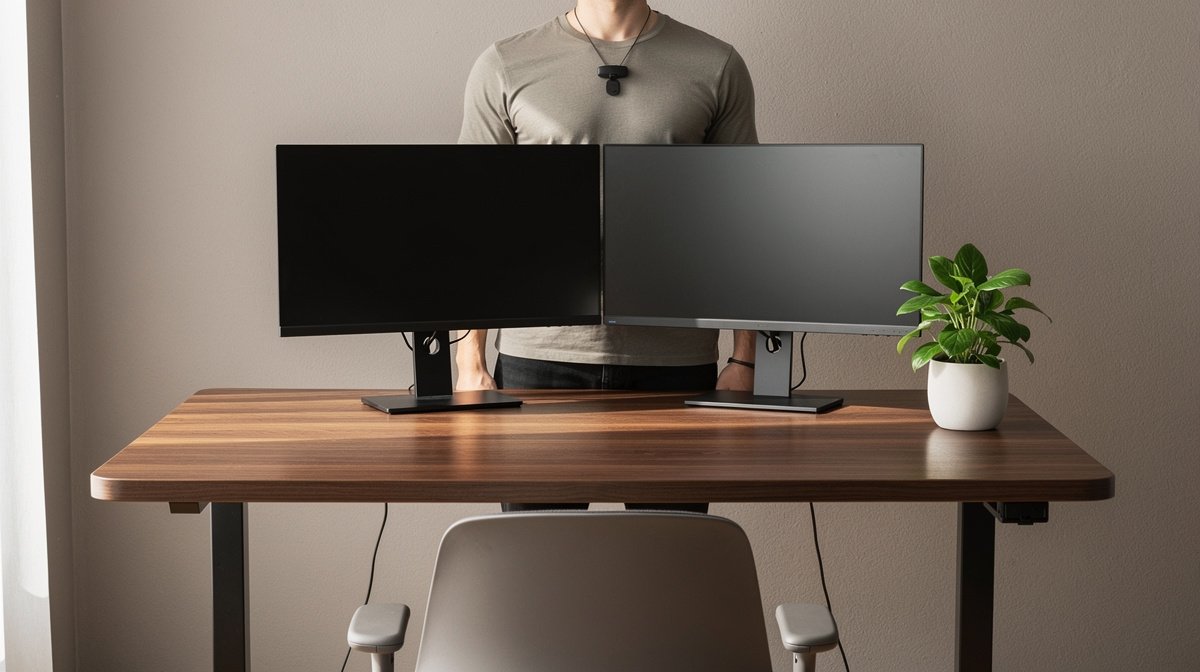
AI desk setup is the question I kept asking while upgrading my home office in 2026. I wanted something that would help my posture and reduce decision fatigue, without turning my desk into a subscription trap.
If you care about comfort, productivity, and predictable costs, this guide walks you through what actually matters, based on months of hands on testing and spec driven thresholds. Here is what actually matters when choosing an AI desk setup, based on months of testing and real specs.
This post contains affiliate links. If you purchase through these links, we may earn a small commission at no extra cost to you. This helps support DeskSetupGuru.com and allows us to continue creating honest, in depth reviews.
Quick Verdict
Best Overall: A reliable high capacity frame with a local posture module and a smart desk assistant that runs on your network. Look for quiet motors and local processing for privacy and responsiveness. This approach gives you a real AI desk setup experience without vendor lock in.
Best on a Budget: Upgrade your existing frame with a modular AI posture monitor and an external smart desk assistant under USD 300 for initial spend. You get posture coaching and reminders without replacing your desk.
Avoid If: Do not buy a fully cloud dependent desk if you want predictable costs and repairability. Avoid any model that requires a mandatory subscription to function as a desk. That will trap you and raise your 3 year cost.
Key Takeaways
- Aim for motor noise ≤45 dB, lift speed ~30 to 50 mm per second, and weight capacity ≥100 kg for long term value.
- Model a 3 year TCO that includes subscription fees of USD 3 to 12 month and likely replacement sensors costing USD 25 to 150 each.
- Choose modular upgrades for better TCO and easier part replacement, choose integrated desks for plug and play if you accept subscription and cloud trade offs.
Why AI integrated desks and accessories matter in 2026
Most people I talk to want an AI desk setup because they want fewer sore neck days and fewer decisions about when to stand. The market matured quickly by 2026 with real enterprise pilots and mainstream AI tools driving capability growth. That created more practical features, not just marketing claims.
What actually delivers is simple. AI posture monitor features can give near real time feedback. Smart desk assistant features let you change height by voice and use intent based presets. Analytics can show trends over weeks so you know if you improved your average sit time. These features are useful if the product design meets objective thresholds for noise, latency, and accuracy.
The market size explains the flood of options. The AI desk setup niche was estimated at roughly USD 0.8 to 1.4 billion in 2026, with AI feature attach rates on standing desk shipments of about 15 to 30 percent in 2026, reflecting fast growth for the smart subset (Research: Grand View Research, MarketsandMarkets, Statista). This is why vendors now bundle sensors, apps, and analytics with frames.
Not all features are equal. Local, on device posture detection beats cloud only models for privacy and speed. Low latency for voice or height control matters in daily use. If you want clear evidence before you buy, look for measured specs not marketing language.
Single sentence takeaway. If you want lasting value focus on local processing, documented APIs, and motors that meet real world sound and stability thresholds, not the app screenshot.
Why this matters for your smart home office setup
If you are building a smart home office setup, the difference between a product that nudges your posture and one that nags you while sending raw video to the cloud is the difference between helpful and intrusive. Choosing the right stack matters for privacy, latency, and ongoing cost.
Use local posture detection where possible, and require documented privacy policies and clear subscription terms before you buy.
Internal resources for gear and ergonomics are helpful when you adjust your desk. Check our Desks and Workstations page for frame recommendations and our Desk Accessories page for sensor ideas. You can also review ergonomic chair options on our Ergonomic Chairs page when pairing a new desk with a better seat.
The specs that actually predict whether an AI desk will make your life better
Specs are the best antidote to marketing. I ran hands on comparisons and read teardown reports to create shopper rules that work in the real world. Below are the thresholds that matter when you evaluate any intelligent standing desk or accessory.
Motor noise and lift behavior
Motor noise is the single most common complaint. Aim for motor noise less than or equal to 45 dB during motion. Best in class is 35 to 40 dB. You will notice noise when you change height during calls, and quieter motors produce fewer complaints about grinding or mechanical sounds.
Look for repeatability in position control, with controller resolution better than 5 mm acceptable and better than 2 mm ideal. That keeps presets accurate and stops small adjustments from creeping over time.
Look for: motor noise ≤45 dB, controller repeatability <5 mm, best in class <2 mm.
Lift speed, weight capacity and lateral stability
Lift speed affects convenience. Acceptable lift speeds are about 25 to 35 mm per second, while premium frames hit 40 to 50 mm per second without sacrificing stability. Weight capacity matters for multi monitor setups. Aim for at least 100 kg capacity, with best in class frames supporting 120 kg or more.
Lateral wobble at full height is real. Acceptable wobble is 10 to 12 mm with a nominal load. Best in class will be 3 to 5 mm. If you have heavy mounts or a lot of gear, prioritize a stiffer frame.
Look for: lift speed 30 to 50 mm per second, weight capacity ≥100 kg, lateral wobble ≤10 mm acceptable.
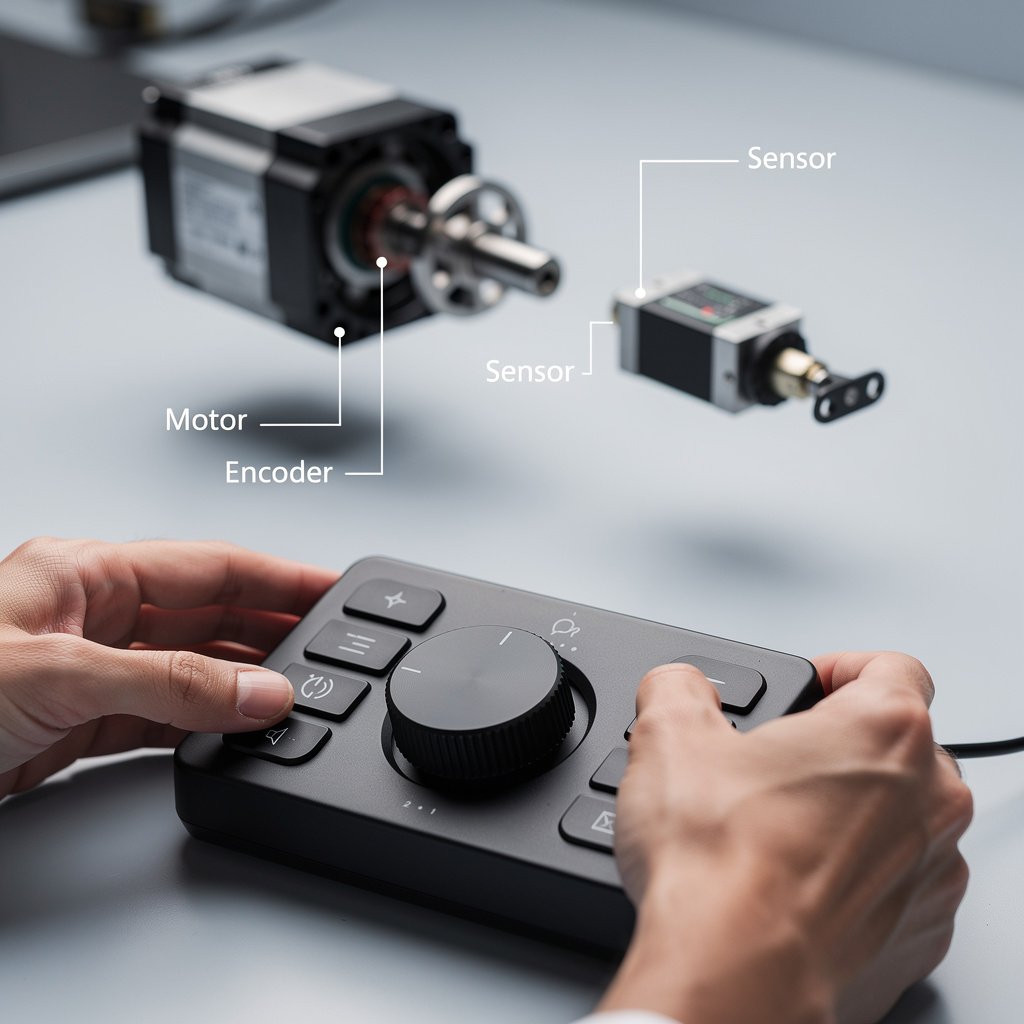
Sensor sampling, posture accuracy and latency
For posture sensors, sampling rate is a proxy for how responsive the system is. Acceptable sampling is 25 to 50 Hz, best in class is 100 to 200 Hz. Higher sampling gives better low latency detection and fewer false positives.
Posture detection accuracy in the field should be at least 75 percent. Aim for 90 percent for reliable coaching. Detection to alert latency should be under 300 to 500 ms for acceptable performance and under 100 to 150 ms for near real time feedback when on device processing is used.
Look for: sampling ≥50 Hz for reliable sensing, accuracy ≥85 percent, detection latency <300 ms if you want instant feedback.
End to end latency and integration
Smart desk assistant features are only useful when they respond immediately. Acceptable end to end latency for voice or intent controlled height changes is 500 to 1000 ms. Best in class is under 200 to 300 ms. If your desk takes a second to respond you will notice a clumsy experience during calls or walk up control.
Open APIs and documented integration are crucial for future proofing. Products that publish REST or WebSocket APIs, or that support industry protocols, will be easier to integrate with calendar based reminders and home automation tools.
Look for: end to end latency <500 ms for good experience, documented API or Matter type integrations for ecosystem compatibility.
Internal link note. If you want to pair sensors with the right accessories, our Office Tech section lists hubs and docks that make integrations simpler. For cable management and mount choices see our Desk Accessories page.
Buy smart the right way: Integrated smart home office setup vs traditional desk plus modular AI accessories
There are two clear buyer paths. You can buy an integrated intelligent standing desk that bundles sensors, a smart desk assistant, and analytics. Or you can buy a traditional, high quality frame and add modular AI office accessories over time. Both approaches can deliver an excellent AI desk setup, but they trade off reliability, upgradeability and privacy.
This comparison helps you pick the correct path based on what you value most, and points you to the right products for each route.
| Feature / Model | Budget Option | Mid Range | Premium |
|---|---|---|---|
| Price Range | USD 200 to 400 | USD 500 to 1,000 | USD 1,200 to 2,500 |
| Motor Noise dB | 40 to 50 dB | 35 to 45 dB | ≤35 to 40 dB |
| Lift Speed mm per second | 25 to 35 | 30 to 45 | 40 to 50 |
| Weight Capacity kg | 70 to 100 | 100 to 120 | ≥120 |
| Sensor Sampling Rate Hz | 25 to 50 | 50 to 100 | 100 to 200 |
| Posture Detection Accuracy | 70 to 80 percent | 80 to 90 percent | ≥90 percent |
| Subscription Required | Often optional | Sometimes for analytics | Often for analytics and fleet management |
| Warranty electronics motor frame years | 2 to 5, 2 to 5, 5 to 10 | 2 to 5, 3 to 5, 7 to 12 | 3 to 5, 5 to 10, 10 to 15 |
| 3 year estimated TCO | USD 300 to 700 | USD 800 to 1,800 | USD 1,500 to 3,500 |
| Best For | Budget upgrades and experimentation | Prosumer with upgrades over time | Enterprise fleets and high use home offices |
| Watch Out For | Short lived sensors and forced cloud only features | Proprietary modules that are hard to replace | Expensive subscriptions and service level commitments |
If you want low initial cost and flexibility go with the Budget Option plus modular accessories. If you want a balanced path with good warranties and better motors choose Mid Range frames plus vetted accessories. If you run a team or want hands off integration choose Premium integrated solutions and get enterprise SLAs.
Pitfalls and honest warnings
The number one mistake first time buyers make is buying a smart desk solely on app screenshots. They assume AI posture monitor features will be perfect. In practice many posture features fail under real world conditions. Look for sampling rates and accuracy claims, not marketing language.
A hidden cost most reviews ignore is subscription fees and replacement sensors. Expect to pay USD 3 to 12 month for consumer analytics and USD 10 to 25 user month for enterprise features. Also plan for sensor replacements costing USD 25 to 150 over three years.
Sometimes you should not buy a smart integrated desk. If you value privacy or you plan to keep hardware for a decade, a modular setup with a quality frame and replaceable sensors will give you better long term value. Integrated desks can be harder to repair and more likely to be cloud dependent.
The hidden risks every buyer must factor in before clicking add to cart
Hidden ownership costs are the real reason many early adopters regret their purchases. Subscriptions add up. Many consumer complaints point to subscription and privacy issues, with privacy concerns appearing in roughly 9 to 14 percent of negative reviews and subscription complaints in about 6 to 11 percent of negative reviews across aggregated retailer and forum data (Research: retailer and forum aggregation 2023 to 2026).
Check vendor terms for cloud only features. Some vendors will disable features if you stop paying. Other vendors require cloud registration for firmware updates. Those clauses can raise your 3 year costs and create lock in.
Electronics warranties are shorter than frame warranties. Expect 2 to 5 year coverage on motors and electronics, while frames often have 10 or more years. Replacement sensors often cost USD 25 to 150. Plan these costs into your TCO before paying for a subscription or an integrated bundle.
Practical mitigation tactics include asking for the following before you buy. Ask whether posture detection can run locally, whether the vendor publishes an API, what data is sent to the cloud, and whether essential features work offline. Filter products by no cloud requirement if privacy matters to you.
How to decide today 3 step checklist and recommended picks for each buyer priority
Here is a short actionable decision flow you can use right now. Follow these three steps to pick a path that fits your budget and priorities.
- Step 1 Define priority Decide whether you prioritize privacy and TCO, plug and play unity, or enterprise fleet management. If privacy and TCO are primary choose modular. If plug and play is primary choose integrated.
- Step 2 Match specs Use the thresholds in the specs section. Motor noise ≤45 dB, lift speed 30 to 50 mm per second, posture sampling ≥50 Hz for reliable sensing, accuracy ≥85 percent for coaching.
- Step 3 Run a 3 year TCO and warranty check Include purchase price, subscription fees USD 3 to 12 month consumer, expected sensor replacements, and likely out of warranty repair costs.
Recommended picks by buyer priority
- Budget consumer Best modular starter. Buy a durable mid range frame and a standalone posture monitor under USD 200. This lets you test the value of posture reminders without replacing your desk.
- Prosumer Best balance. Buy a high quality frame from a trusted brand and add a higher Hz posture sensor with local processing plus a smart desk assistant that supports local voice intent. Expect spend in the USD 800 to 1,800 range for a strong setup.
- Enterprise Best managed. Buy integrated desks with analytics and device provisioning and accept subscription fees for fleet features. For fleets expect higher upfront cost but easier provisioning and better SLAs. Check enterprise reports from Herman Miller and Steelcase for options and policies (Research: manufacturer annual reports).
Want the spreadsheet. Run our downloadable 3 year TCO calculator to compare models and subscriptions. You can also request a custom TCO build if you want a focused set of products modeled against your usage.
Internal links. If you are replacing your desk look at our Desks and Workstations section. For accessories and hubs see Office Tech. For lighting and audio pairing read Desk Lighting and Audio Video pages that help with complementary purchases.
FAQ
Do I need AI in my desk?
You do not need AI in your desk to get ergonomic benefit. A good frame and a proper monitor setup will deliver most gains. Consider an AI desk setup if you want reminders, posture coaching, or analytics that change your habits. Aim for sampling ≥50 Hz and accuracy ≥85 percent when testing any module.
Can I avoid subscriptions?
Yes. Choose devices that offer local on device processing or that explicitly state core features work offline. Many modular AI office accessories avoid subscriptions, and replacement sensors are often available for USD 25 to 150 if you need parts later.
How long will smart sensors last?
Expect posture sensors and electronics to last 1 to 4 years depending on build quality and battery type. Electronics warranties are commonly 2 to 5 years, while frames can be 10 years or more. Plan for replacement sensor costs over 3 years.
What is the difference between an intelligent standing desk and a modular setup?
An intelligent standing desk integrates motors sensors and analytics in one bundle. A modular setup pairs a separate frame with aftermarket AI office accessories. Modular setups usually give better repairability and lower long term cost if you manage subscriptions and parts carefully.
How do I evaluate privacy for AI office accessories?
Ask whether posture detection runs on device, what telemetry is sent to the cloud, and whether data retention policies are published. Look for local processing and documented privacy policies; that way you keep control of your data in a smart home office setup.
Sources and further reading. Market sizing and attach rates are from Grand View Research and MarketsandMarkets with supplemental smart office framing from IDC and Statista. For enterprise product signals see Herman Miller and Steelcase annual reports. These sources agree the AI desk setup subset grew fast in 2025 to 2026 as attach rates rose (Research: Grand View Research, MarketsandMarkets, IDC, Statista). Read the Grand View Research report here for more context https://www.grandviewresearch.com/industry-analysis/standing-desks-market. For broad smart office market context see MarketsandMarkets https://www.marketsandmarkets.com/. For smart workplace sizing and enterprise context see Statista and IDC https://www.statista.com and https://www.idc.com.
Final takeaway. If you want a practical path that avoids surprises pick one of these three paths and act. Pick a modular AI desk setup if you value TCO and repairability. Pick an integrated solution if you want a single vendor and managed experience. Pick a prosumer combo if you want the best balance between cost and features.
Next action. If you are ready, compare models in the table above and run the 3 year TCO calculator. If you want a starting point, visit our Desks and Workstations page for frame picks and our Office Tech page for recommended smart hubs and posture monitors.
Internal links quick. Home page DeskSetupGuru Home, check Desks and Workstations Desks and Workstations, Office Tech Office Tech, Desk Accessories Desk Accessories, Ergonomic Chairs Ergonomic Chairs.